













Betman Casino App: iOS / Android Download Guide
Betman Casino Mobile Experience: Browser-Based Play Without an App Download
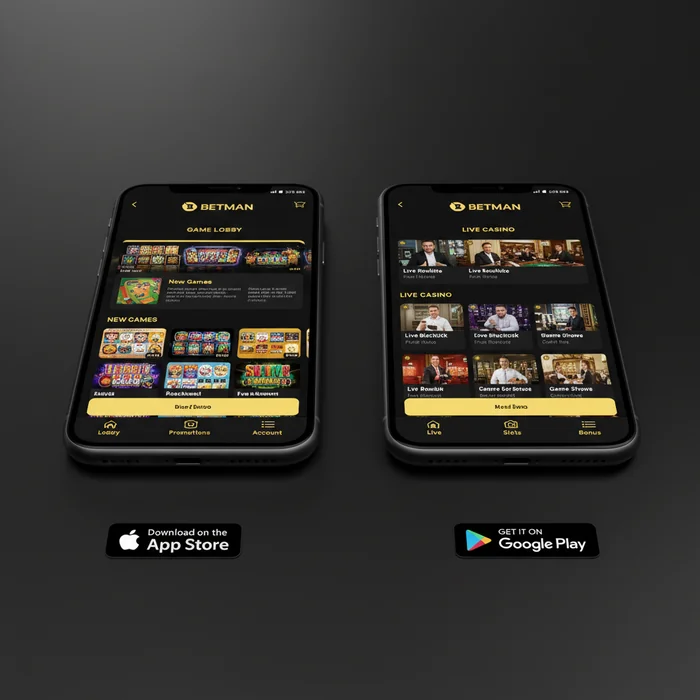
The Betman Casino mobile platform is built entirely around your browser — no download required, no APK file to hunt for, no waiting through an installation process. From the moment you open your phone's browser and navigate to the site, you're one tap away from real-money pokies, account management, and PayID banking. Getting started is genuinely simple, and we've designed the mobile experience specifically so that Australian players can jump in without friction.
It's worth being upfront about something important before we go further. Under Australia's Interactive Gambling Act 2001 (amended in 2017), online casino services — including pokies — are prohibited from being offered to Australian residents by domestic operators. The Australian Communications and Media Authority (ACMA) actively blocks offshore casino sites and has taken down over 1,000 domains to date. Players who access offshore platforms like this one are not prosecuted personally, but they also have no consumer protection under Australian law. We believe you deserve to know that clearly, so you can make an informed decision.
How the Mobile Platform Performs on iOS and Android Devices
Whether you're on an iPhone running iOS 14 or newer, or an Android device running version 8.0 and above, the platform loads cleanly through a standard mobile browser. We've optimised the layout for portrait and landscape orientations, so switching between the two mid-session doesn't interrupt your game. Touch controls respond accurately — tapping spin, adjusting bet sizes, and navigating menus all feel deliberate rather than clunky.
There is no dedicated Betman Casino app available in the Apple App Store or Google Play Store. This is a deliberate choice: a browser-based approach means we can push updates instantly without requiring you to download a new version. Your experience stays current without any action on your part. The trade-off is that you won't receive push notifications the way a native app would deliver them — something worth knowing if you rely on bonus alerts.
On iOS devices, adding the site to your Home Screen via Safari's "Add to Home Screen" option creates a shortcut that behaves almost identically to a native app icon. Android users can do the same through Chrome. First, let's understand that this isn't a workaround — it's a standard progressive web approach that keeps the platform lightweight and fast.
Accessing Real-Money Pokies Directly from Your Mobile Browser
Real-money pokies load directly in-browser without requiring Flash or any third-party plugin. The games use HTML5 technology, which means they render natively on your device's screen. This matters because HTML5 titles scale correctly to your screen size rather than shrinking a desktop layout down — the spin button stays where your thumb naturally rests.
To access real-money play, you'll need a verified account. Your first step is completing the sign-up process, which includes identity verification. This KYC (Know Your Customer) step is not optional — it's a security measure that protects your funds and ensures withdrawals can be processed without delays. In simple terms: verify once, withdraw without complications later.
Once logged in via your account, the full game library is accessible from mobile. There is no reduced catalogue on smaller screens — every title available on desktop is reachable on your phone. The only practical limitation is screen real estate: some players find that games with complex side-bet interfaces are easier to manage on a larger display.
Navigating the Betman Casino Mobile Interface
A mobile casino interface lives or dies by how quickly you can find what you came for. We've structured the Betman Casino mobile layout around three priorities: fast game access, clear account visibility, and one-tap banking. The hamburger menu at the top left houses account settings, promotions, and support. The main lobby fills the rest of your screen with game tiles.
Lobby Layout and Game Search on Small Screens
The lobby organises games into horizontal scroll rows by category — pokies, table games, and live dealer titles each occupy their own row. Scrolling vertically moves you between categories; scrolling horizontally browses within one. This means that, in practice, you can reach any major game category within two swipes from the homepage.
The search bar sits persistently at the top of the lobby. Typing three or more characters filters results in real time — you don't need to press enter or wait for a page reload. For players who already know which pokie they want, this is the fastest route. For players still exploring, the category rows give a useful overview without overwhelming the screen.
Game tiles display the title name and a thumbnail. Tapping a tile opens a preview screen where you can choose to play for real money or, where available, in demo mode. This two-step process before real money loads is intentional — it gives you a moment to confirm your choice rather than accidentally launching a paid session.
Managing Your Account and Bonuses via Mobile
Account management on mobile covers everything you'd expect from desktop: deposit history, withdrawal requests, bonus status, and personal details. The welcome bonus and any active promotions appear under the "My Bonuses" section, which shows your current wagering progress as a progress bar rather than a raw number. This means that, visually, you can see at a glance how far through a bonus requirement you are.
Responsible gambling tools are accessible directly from the account menu on mobile. Deposit limits, session time reminders, and self-exclusion options are not buried — they sit at the same level as your deposit and withdrawal buttons. We've made this a deliberate design choice. If you're an Australian player and need broader support, BetStop is Australia's national self-exclusion register, though it currently covers licensed wagering operators (sports betting) rather than offshore casino sites. For broader support, Gambling Help Online (1800 858 858) is available 24 hours a day.
Updating personal details — including address, phone number, and linked payment methods — is fully functional on mobile. You won't need to switch to a desktop to complete account maintenance tasks. Document uploads for KYC verification also work through the mobile browser using your phone's camera, which is often faster than scanning documents on a desktop setup.
Using PayID for Deposits and Withdrawals on Mobile
PayID is the primary payment method we support for Australian players, and it's genuinely well-suited to mobile use. PayID is a real-time payment system built on Australia's New Payments Platform (NPP), which means transfers between Australian bank accounts settle in seconds rather than business days. For casino banking, this translates to deposits that reflect in your account almost immediately after you confirm the transfer in your banking app.
How to Complete a PayID Transaction from Your Phone
First, let's understand what a PayID actually is: it's an identifier (usually a phone number, email address, or ABN) linked to a bank account. When you initiate a deposit on the platform, you'll receive a PayID address to send funds to, along with a unique reference number. That reference number is critical — it's how we match your transfer to your account.
- Log in to your Betman Casino account via your mobile browser and navigate to the Cashier section.
- Select PayID as your deposit method and enter the amount you wish to deposit in AUD.
- Copy the PayID address and reference number shown on screen — then open your banking app (CommBank, ANZ, NAB, Westpac, or any NPP-connected bank).
- Send the transfer using the PayID address, paste the exact reference number in the description field, and confirm. Funds typically appear in your casino account within 1–5 minutes.
The reference number step is the one that causes the most issues. If you omit it or enter it incorrectly, the deposit cannot be automatically matched to your account and will require manual processing, which adds time. Copy and paste rather than typing it manually — your phone makes this easy.
Fast Mobile Withdrawal Processing After Winning
Withdrawal requests via PayID are submitted through the same Cashier section. Because PayID uses the NPP infrastructure, once a withdrawal is approved and processed on our end, the funds reach your nominated Australian bank account quickly — typically within the same business day for requests submitted during standard hours.
Before your first withdrawal is processed, your identity verification (KYC) must be complete. This is not a delay tactic — it's a regulatory requirement under anti-money laundering obligations and a protection for your funds. Documents submitted via mobile camera are reviewed in the same queue as desktop uploads. Having your Australian driver's licence or passport ready before you request a withdrawal means no waiting once you're ready to cash out.
There are no withdrawal fees applied on our side for PayID. The method is also notably more private than card payments — your casino transaction appears as a bank transfer in your statement rather than a merchant charge, which some Australian players prefer for personal financial record-keeping.
| Payment Method | Deposit Speed | Withdrawal Speed | Fees (Our End) | Mobile Friendly |
|---|---|---|---|---|
| PayID | 1–5 minutes | Same business day (after approval) | None | Yes — fully functional |
Mobile Performance, Speed and Compatibility
Performance on mobile is shaped by three variables: your device's processing power, your internet connection, and the browser you're using. We've optimised the platform's assets to load efficiently on mid-range devices — you don't need a flagship phone to have a smooth session. That said, older devices running operating systems below iOS 14 or Android 8.0 may experience slower tile loading in the lobby.
Recommended Browsers for the Smoothest Betman Casino Mobile Session
Safari on iOS and Chrome on Android are the two browsers we recommend without reservation. Both support the full range of HTML5 game features, handle session cookies correctly (keeping you logged in between visits), and render the lobby layout as intended. Firefox on Android also performs well. Avoid using in-app browsers — the browser embedded inside Facebook, Instagram, or other social apps — as these often block certain scripts and can cause games to fail to load or payment pages to behave unexpectedly.
If you're on iOS and using Safari, ensure that "Block All Cookies" is not enabled in your privacy settings. The platform uses session cookies to maintain your login state. With cookies blocked, you'll be logged out every time you switch apps, which interrupts gameplay. This means that a small settings adjustment on your phone can make a meaningful difference to your experience.
Data Usage and Offline Limitations to Be Aware Of
The platform requires an active internet connection at all times — there is no offline mode. This is standard for real-money casino platforms, where every spin result must be verified by the game server in real time. Playing on mobile data rather than Wi-Fi is perfectly functional, but data usage varies by game type. Pokies typically consume less data per session than live dealer games, which stream continuous video.
As a rough guide, a standard pokie session uses approximately 5–15 MB per hour of play. A live dealer table game, which streams a video feed of the dealer, uses considerably more — closer to 200–400 MB per hour depending on stream quality. If you're on a limited Australian mobile data plan, pokies are the more data-efficient choice for on-the-go sessions.
| Platform | Minimum OS Version | Access Method | Recommended Browser | Home Screen Shortcut |
|---|---|---|---|---|
| iOS (iPhone/iPad) | iOS 14+ | Mobile Browser | Safari | Yes — Add to Home Screen |
| Android | Android 8.0+ | Mobile Browser | Chrome | Yes — Add to Home Screen |
| Windows Mobile / Other | Any modern browser | Mobile Browser | Chrome / Edge | Varies by device |
| Tablet (iOS/Android) | Same as above | Mobile Browser | Safari / Chrome | Yes |
One honest limitation worth naming: because there is no native Betman Casino app in any app store, you won't receive push notifications for bonus activations or promotional offers. If staying on top of available promotions matters to you, bookmarking the promotions page and checking it at the start of each session is the most reliable approach. It's a minor inconvenience, but one you should factor in if timely bonus access is a priority.
The absence of a downloadable Betman Casino download option also means you're dependent on a stable internet connection at all times. For Australian players in regional areas where mobile coverage can be patchy, this is worth considering before committing to a live dealer session mid-commute. Pokies, with their lower data demands and shorter round times, are better suited to variable connection environments than live table games. If you're ready to explore what the platform offers, creating your account takes only a few minutes — and the mobile experience at Betman Casino is waiting on the other side of that first login.